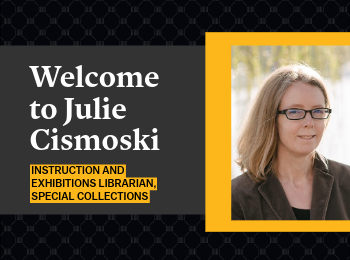
Welcome to Julie Cismoski

Julie Cismoski joined Special Collections this summer as the instruction and exhibitions librarian, a key role in the department. An experienced librarian and educator, Julie has worked in special collections at the University of Southern Maine Library, among other academic libraries, as well as an English as an Additional Language teacher abroad and in nonprofits in Portland, OR. She holds a Master’s of Library Science from Indiana University-Bloomington and a BA in history and German language and literature from Hamline University. Julie is working with faculty and students to develop and facilitate our primary source instruction program. She also develops and collaborates on digital and physical exhibitions and other outreach initiatives in Special Collections

BYOBook Club at Mizzou Libraries

Do you want to join a book club but prefer to choose your own book?

Join us at BYOBook Club! Read any book for the month’s (optional) prompt and chat with other readers about what you chose. This is a great way to discover new books and authors—or rant about pesky plot holes.

  • October 7th – Banned book
  • November 4th – New perspectives (book from a language/culture/POV different from you)
  • December 2nd – Resistance! (fiction or nonfiction)

You can find book recommendations and more on our BYOBook Club guide: libraryguides.missouri.edu/byobook-club

This club is sponsored by Mizzou Libraries Outreach and Engagement Committee.

Registration is encouraged but not required.

home Gateway Carousel, Resources and Services Fast, Easy Laptop Checkout at Ellis Library

Fast, Easy Laptop Checkout at Ellis Library

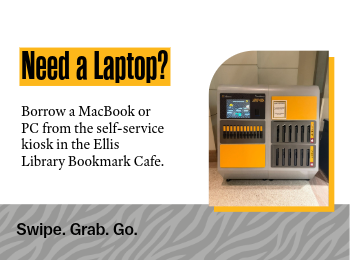
Students, faculty and staff who need a laptop can check one out from a new self-service kiosk in the Ellis Library Bookmark Café. The kiosk offers both MacBooks and PCs with standard Mizzou software, as well as portable battery chargers.

Laptops can be checked out for up to 24 hours with a valid MU ID card or digital ID.

Checking out the laptop requires four easy steps:

  1. SELECT
    Choose a Mac, PC or battery pack
  2. SWIPE
    Use your valid MU ID
  3. GO!
    It’s yours for 24 hours
  4. LOG OFF and RETURN
    Don’t forget to log off before you return the laptop to the kiosk.

Laptop Kiosk FAQ

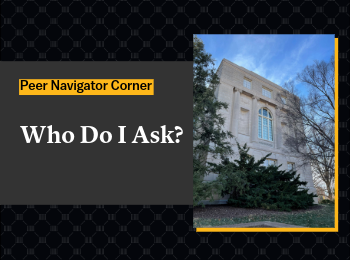
Peer Navigator Corner: Health Sciences Library

Written by: Emilee Dillon 

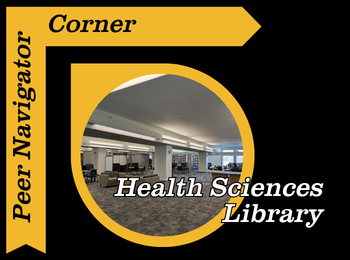
The J. Otto Lottes Health Sciences Library is one of many specialized libraries on campus here at Mizzou. If you’re looking for a new study spot, a group project space, or somewhere to cozy up with a good book, the Health Sciences Library may be a place for you to check out.

One thing I have heard a lot is the struggle to find flexible, comfortable seating in libraries. The good news is the Health Sciences library has you covered! Provided are individual podded chairs that offer comfortable seating and include a footrest, lights, and even an outlet. These pods offer more secluded, comfortable seating, with all the necessities provided, so you can stay comfortable while working on your studies. Walking through the student center, I have also noticed that the booths downstairs and upstairs are very popular. While Ellis does have a few booths on the 1st floor, the Health Sciences Library has a whole wall of booths and a few other sections as well. Also, if after sitting in classes all day you feel the need to take a break from sitting, but you also know you need to study, the Health Sciences Library has standing desks!

Although the Health Sciences Library has plenty of research material that is not the only thing it is used for, nursing and medical students can check out some course-specific textbooks right from the library! If you need a break from studying, you can also find a wide variety of books to read for leisure near the front of the library.

I have realized that students here at Mizzou love whiteboards, and this library delivers. There are double-sided mobile whiteboards for students to use, as well as large whiteboards near tall tables, perfect for group work or mind-mapping. If you’re like me, near finals, TikTok is a popular place to go for study motivation. The health sciences library has the popular floor-to-ceiling whiteboards featured in these study-hack videos in their study rooms, which are perfect for memorization or just organizing your ideas.

The health sciences library also has excellent lighting, warm, cozy yellow, rather than the harsh white lights that can make it difficult to focus. There is also a part of the library that, during daylight hours, has excellent natural light and a beautiful view of Stankowski field.

As mentioned before, the Health Sciences library has private and group study rooms that can be reserved here at the Missouri Libraries website!  It is also important to mention that the Health Sciences Library is open to all majors. While medical and nursing students have longer hours, they may access the facility; all students are welcome and encouraged to use the library.

You can find more information on the Health Sciences library, including their hours and location, on their website, J. Otto Lottes Health Sciences Library.

home Ellis Library, Gateway Carousel, Resources and Services Peer Navigator Corner: Digital Media Lab

Peer Navigator Corner: Digital Media Lab

Written by: Mekenzie Moffet

One resource on campus that I feel like a lot of students don’t realize they have access to is the Digital Media Lab located in Ellis Library. If you’ve ever needed to edit a video, record a podcast, create a presentation, or even just want a quiet space with good equipment to work on a project with, this is definitely the space worth checking out. If you’re wanting to try this, don’t let the talk of fancy equipment and reserving space stress you out! There’s always help available, whether you stop by the Peer Navigator desk for help reserving the lab space or get assistance from Digital Media Lab staff while using the equipment!

The Digital Media Lab is designed to give students access to different technology and software that we might not have on our personal laptops. They have high-quality computers with programs like Adobe Audition for video editing, audio recording, graphic design and other creative projects. For students in classes that may require you to make presentations or multimedia assignments, this could be a helpful resource so you don’t have to worry about your personal computer struggling to run larger programs. 

Another really useful part of the lab is the equipment. Things like high quality microphones, cameras, lighting equipment and other recording tools are available for students; whether for school or personal projects! So, if you’re recording a presentation, filming an interview, or working on a creative assignment, having access to that kind of equipment all for free can make a big difference in what you produce.

Just like everything at the library, the labs spaces for recording and editing are completely free! You just have to reserve the space and time like a study room. The Peer Navigators recently got a new project to create our own personal podcast, and I’m one of the people recording our monthly episodes, so trust me when I say I understand the struggle of using this equipment for the first time. During one of our weekly meetings, we met with Joey, who works specifically with the Digital Media Lab, and he walked me and my coworkers through how to use all the equipment and answered any questions we had.

My first recording was a few weeks after that training, so honestly, I didn’t remember much. Thankfully, like always, there was a staff member there who helped refresh our memory, and we were able to get started. Recording itself really isn’t too difficult, even coming from me, someone who’s not great with technology. Another huge plus is that the computers you record on can also be used for editing, and they have GarageBand and Adobe programs available for free. I definitely recommend trying something like this out.

It’s completely okay if you don’t know how to use the equipment yet. When you make a reservation it ensures that some of the amazing staff will be on hand to answer all of your questions, walk you through a program for the first time, help you get started with programs and point you towards resources if you’re learning. That support can make trying out new tools feel a lot less intimidating. Staff are always available in the Digital Media Lab, located in Room 153 on the first floor of Ellis, to help with whatever you need.

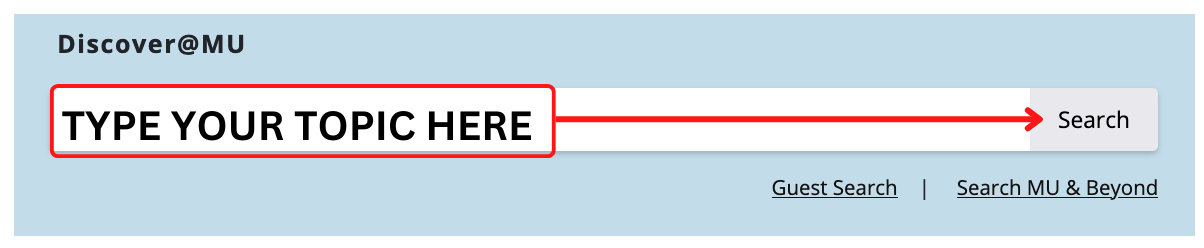
Overall, the Digital Media Lab is one of those campus resources that can really elevate your project quality and give you the chance to learn new tools. So go check it out because it’s worth stopping by and seeing what’s available. If you’re having trouble locating their website, just click the Digital Media Lab link located at the top, or go to the libraries home page and search in the box at the top right corner!

home Gateway Carousel, J. Otto Lottes Health Sciences Library, Resources and Services Discover LeapSpace: An AI-Powered Research Workspace

Discover LeapSpace: An AI-Powered Research Workspace

Researchers today face an overwhelming volume of scholarly literature, making it increasingly difficult to stay current, identify relevant sources and synthesize information efficiently. To help address these challenges, Mizzou Libraries now offers access to LeapSpace, Elsevier’s research-grade AI workspace designed to accelerate discovery, deepen understanding and support every stage of the research process.

LeapSpace combines publisher-neutral scholarly content, responsible AI technology and enterprise-grade security in a single workspace. Whether you’re exploring a new research topic, conducting a literature review, identifying funding opportunities or developing a manuscript, LeapSpace can help you work smarter and more efficiently.

Ask Research Questions in Natural Language

Using LeapSpace is as simple as asking a question. Researchers can enter inquiries in a natural, conversational style and receive synthesized responses drawn from scholarly literature. The platform is designed to support complex, interdisciplinary research topics, helping users quickly navigate unfamiliar concepts and cross-field connections.

Key Features

Topic Overview

Get up to speed quickly with concise overviews that highlight key concepts, themes, and findings related to your research topic.

AI-Powered Summaries

LeapSpace synthesizes information from relevant scholarly documents, helping researchers understand large bodies of literature without reading every article in full.

Trust Cards

Evaluate AI-generated insights with confidence. Trust Cards provide supporting references and include a “Link to Statement” feature that shows how closely an AI-generated claim aligns with the original source material.

Follow-Up Conversations

Refine your research by asking follow-up questions, allowing you to dig deeper into specific concepts, methodologies, or findings.

Claim Radar

Explore how a particular claim is supported across the broader research landscape, making it easier to identify consensus, differing perspectives, and evidence strength.

Funding Insights

Discover funding opportunities and investigate funding sources connected to specific research areas.

Deep Research

Generate detailed research plans and conduct extensive literature searches across curated scholarly content. Deep Research continuously refines its approach as new insights emerge, helping researchers uncover connections and opportunities they might otherwise miss.

Writing Coach

Support your scholarly writing process with a dedicated workspace designed to help strengthen arguments, contextualize evidence and identify gaps in reasoning.

Supporting Research at Every Stage

From exploring a new topic to preparing grant proposals and drafting manuscripts, LeapSpace offers tools that can save time while promoting responsible use of AI in research. By combining trusted scholarly content with transparent AI assistance, the platform empowers researchers to focus on analysis, creativity and discovery.

Whether you’re a faculty member launching a new project, a graduate student conducting a literature review, or an interdisciplinary research team exploring emerging questions, LeapSpace can help streamline your workflow and enhance your research process.

Ready to get started? Visit the Mizzou Libraries LeapSpace guide to learn more and begin exploring this powerful new research workspace.

Click here for faculty-focused workshops and demos.

Click here for graduate student workshops and demos.

home Gateway Carousel, Resources and Services Read, Recharge and Refocus with the Wellbeing Collection

Read, Recharge and Refocus with the Wellbeing Collection

The Wellbeing Collection consists of hundreds of new books for students, faculty and staff who want to focus on their mental health or just need a break from the stress of everyday life. The collection can be found on the first floor in Ellis Library, near the atrium (just ask any staff member to point you in the right direction).

The collection includes books from the following subject categories:

· General Wellbeing: sleep, yoga, movement, meditation

· College Basics: cooking, time management, laundry, dorm life

· Student Success: study tips, note-taking, first-year support, first generation student topics

· New Adulting: budgeting, personal finance, relationships, communication

· Mental Health: stress relief, anxiety and depression, happiness, neurodivergence support

· Skill Development: leadership, public speaking, self-help

· Leisure Reading: popular fiction and non-fiction titles

· Hobbies: gardening, crochet, manga drawing, gaming

This collection was made possible by Mizzou Forward Student Success Enhancement Grant.

New Open Journal Finder Helps Mizzou Researchers Identify Publishing Options

The Mizzou Libraries now offer a tool to help Mizzou researchers identify journals where they can publish their work. The Open Journal Finder provides an easy way to explore journal publishing options, including open access status, article processing charges, and library-supported discounts or agreements.

Researchers can use the Open Journal Finder to look up individual journal titles and find important publishing details in one place. For each title, the tool may include the following information

  • whether the journal is fully open access, hybrid open access, or not open access;
  • whether article processing charges (APC) apply;
  • whether Mizzou Libraries support all or part of the APC (support only available for Mizzou-affiliated researchers);
  • instructions for authors;
  • the number of articles published by Mizzou authors in the journal over the last five years; and
  • how often Mizzou researchers have cited articles from the journal in the last two years.

When a journal is labeled “Library Supported” above the open access icon, Mizzou Libraries offers APC support for that title to Mizzou researchers. Researchers should click the journal title to view complete details, including any remaining costs they may be responsible for. Because not every title from a publisher is included in Mizzou’s APC agreements, researchers should always check the Open Journal Finder before submitting an article.

The tool also helps clarify common publishing categories. Fully open-access journals make all articles freely available, while hybrid journals include both open-access and subscription-only articles and may require an APC for open-access publishing. Journals that are not open access are marked with a gray lock icon. By bringing together publication costs, open-access status, author instructions, and MU-specific publishing metrics, the Open Journal Finder gives researchers a clearer picture of their options before they submit their work.

For more information about journal metrics, visit the Mizzou Libraries guide on journal rankings.

Chat with the Librarians Wherever You Are

Need research help? Working on a paper or project? You can ask a librarian for help using our chat service– almost 24 hours a day.

During the day you can chat with Mizzou librarians and library staff. At night, we offer access to a chat reference service called ChatStaff. They will be able to answer most research questions, except for some that are Mizzou-specific.

To access the chat service and see what hours chat reference is available, visit libraryanswers.missouri.edu.

home Cycle of Success, Gateway Carousel Cycle of Success: Colonial Caribbean Collection Fuels Groundbreaking Research

Cycle of Success: Colonial Caribbean Collection Fuels Groundbreaking Research

For historian Brendon G. Floyd, Ph.D., access to Mizzou Libraries’ digital collections has transformed the way he researches the Atlantic world, opening new avenues for scholarship while bringing rare historical records directly to his desktop.

A University of Missouri DPAA Research Partner Fellow affiliated with the History Department and the Kinder Institute on Constitutional Democracy, Floyd studies the United Irishmen who participated in Ireland’s 1798 rebellion and were later imprisoned, forcibly conscripted into the British military, and dispersed throughout the Atlantic world. His work explores the human impact of state power through imprisonment, forced migration, and military service during a period of revolution and empire between 1776 and 1820.

Central to Floyd’s current and future research is the Colonial Caribbean Collection. This digital archive, which provides online access to colonial office files from the United Kingdom National Archives, covers the history of the various territories under British colonial governance from 1624 to 1870.
“My first book follows these Irish prisoners out of Ireland and through spaces of confinement and transit, including internment camps, prison ships, naval vessels, and troop transports,” Floyd said. “My second book picks up where the first ends, following these conscripted rebels into the Caribbean, where many were forced to serve for life in the British Army.”

The Colonial Caribbean Collection has made that work far more accessible.

“Rather than trying to arrange repeated trips to The National Archives in England, I have been able to download thousands of documents and work through them carefully over time,” Floyd said. “That kind of access has changed what is possible for both projects.”

The collection has also led Floyd to new research questions and discoveries. Among them is a project focused on Jean Kina, an enslaved man from Saint-Domingue who served with British forces during the Haitian Revolution, rose to the rank of colonel, and later led a mutiny in Martinique after attempts were made to re-enslave him and others serving under British rule. Floyd has also uncovered materials related to piracy in the Caribbean during the seventeenth and early eighteenth centuries, expanding the scope of his future scholarship.

Beyond supporting research, the collection enhances student learning. Floyd regularly incorporates primary source materials into classroom projects, giving students opportunities to engage directly with historical evidence and develop hands-on research skills.

Floyd credits Mizzou Libraries faculty and staff with making collections more accessible and helping researchers uncover new possibilities. He highlighted his collaboration with Rachel Brekhus on the Haskell Monroe Project, which focused on digitizing and organizing historical materials for research and teaching.
When asked what advice he would offer other researchers, Floyd’s answer was simple: connect with librarians and explore the library’s digital resources.
“Libraries have a deep bench of expertise, and a short conversation with a librarian can lead you to sources, collections, or search strategies you would not have found on your own,” he said.

Floyd also emphasized the often-unseen work performed by library employees.

“Researchers regularly rely on these collections and services without fully acknowledging how much labor goes into acquiring, organizing, digitizing, and maintaining them,” he said. “Much of that work happens quietly, but it makes our research and teaching possible.”

Through resources like the Colonial Caribbean Collection, Mizzou Libraries continues to support innovative scholarship, expand access to unique historical materials, and help researchers and students make discoveries that advance knowledge and learning.