New Open Journal Finder Helps Mizzou Researchers Identify Publishing Options

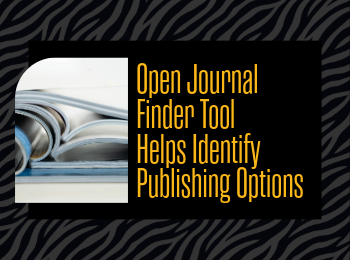
The Mizzou Libraries now offer a tool to help Mizzou researchers identify journals where they can publish their work. The Open Journal Finder provides an easy way to explore journal publishing options, including open access status, article processing charges, and library-supported discounts or agreements.

Researchers can use the Open Journal Finder to look up individual journal titles and find important publishing details in one place. For each title, the tool may include the following information

  • whether the journal is fully open access, hybrid open access, or not open access;
  • whether article processing charges (APC) apply;
  • whether Mizzou Libraries support all or part of the APC (support only available for Mizzou-affiliated researchers);
  • instructions for authors;
  • the number of articles published by Mizzou authors in the journal over the last five years; and
  • how often Mizzou researchers have cited articles from the journal in the last two years.

When a journal is labeled “Library Supported” above the open access icon, Mizzou Libraries offers APC support for that title to Mizzou researchers. Researchers should click the journal title to view complete details, including any remaining costs they may be responsible for. Because not every title from a publisher is included in Mizzou’s APC agreements, researchers should always check the Open Journal Finder before submitting an article.

The tool also helps clarify common publishing categories. Fully open-access journals make all articles freely available, while hybrid journals include both open-access and subscription-only articles and may require an APC for open-access publishing. Journals that are not open access are marked with a gray lock icon. By bringing together publication costs, open-access status, author instructions, and MU-specific publishing metrics, the Open Journal Finder gives researchers a clearer picture of their options before they submit their work.

For more information about journal metrics, visit the Mizzou Libraries guide on journal rankings.

Chat with the Librarians Wherever You Are

Need research help? Working on a paper or project? You can ask a librarian for help using our chat service– almost 24 hours a day.

During the day you can chat with Mizzou librarians and library staff. At night, we offer access to a chat reference service called ChatStaff. They will be able to answer most research questions, except for some that are Mizzou-specific.

To access the chat service and see what hours chat reference is available, visit libraryanswers.missouri.edu.

Publish Open Access for Free with New Read & Publish Agreements

Publishing open access is a great way to keep research open and retain your copyright. We do understand that publishing open access comes with a financial commitment that you wouldn’t necessarily have with traditional publishing.

To help offset costs, Mizzou Libraries has agreements with several publishers that offer discounts and support of article processing charges (APCs) for the following journals.

Want to learn more? Talk with your subject librarian about open access in your area.

Visit here for a complete list of discounts and APC support.

New Agreements:

American Chemical Society

Starting January 1, 2026, Mizzou Libraries has a Read & Publish agreement with the American Chemical Society. Authors will have the option during the publication process to have their open-access fees covered under this agreement. Click here for a list of ACS journals included in the UMECO Consortium agreement, which includes the University of Missouri.

Sage

The University of Missouri has a read-and-publish deal with Sage for open access for MU authors on its complete premier journals package for the calendar year 2026. Here is a spreadsheet of the Sage premier journals.

Springer

The University of Missouri has a read and publish agreement with Springer for open access for MU authors on all titles except Nature and Scientific American titles. The effective dates are January 1, 2026, to December 31, 2028.

Access UpToDate Easier With SSO

We are pleased to announce you will be able to log into your UpToDate account using Mizzou/MU Health Care SSO. With this change you can now authenticate your account from anywhere with your Mizzou/MU Health Care login, and no longer need to authenticate onsite every 90 days!

New users can also now register for an account remotely or through the mobile app without having to first create an account on the Mizzou/MU Health Care network. Simply enter your Mizzou/MU Health Care email on the UpToDate login page, wherever you normally access UpToDate, and enter your credentials when prompted.

Connect your existing UpToDate account to your Mizzou/MU Health Care login without losing your CME, bookmarks, or account settings by following the instructions in the attached tip sheet.

TAGS:

Taira Meadowcroft

Taira Meadowcroft is the Public Health and Community Engagement Librarian at the Health Sciences Library at the University of Missouri.