“Mizzou Libraries host monthly BYOBook Club”
The Maneater, April 2, 2026
Staff news
Book Recommendations From Your Mizzou Librarians

National Library Week is April 19th-25th, but we are always celebrating library joy.
In this list you will find books about:
- Libraries
- Librarians
- frankly, just books recommended by Mizzou librarians that may have nothing to do with libraries
You can see the list at this link: https://docs.google.com/spreadsheets/d/1-V7mG7q-pgQSat8yw8Zhy-meX14LTtLY33tOLEuQSHU/edit?sp=sharing
Peer Navigator Corner: Campus Third Places
Written by: Isabella Bickhaus
At the beginning of every new semester, working as a Peer Navigator in Ellis brings some of my favorite questions to the desk. Recently, I interacted with a student who wanted advice on where to spend their time between classes. This question of where to pass time on campus applies to both new and returning students. Mizzou’s campus is large, and not all academic buildings have seating outside of classrooms. This question reminded me of one reason I enjoy spending time in the Libraries on campus; they’re third places I know I can exist without any expectations. Access to resources, like printers and phone chargers, is also a major bonus.
What is a “third place”? The term was coined by sociologist Ray Oldenburg, referring to spaces in our communities outside of homes (first places) and work (second places). Oldenburg considered third places as “a generic designation for a great variety of public places that host the regular, voluntary, informal, and happily anticipated gatherings of individuals beyond the realms of home and work.”
Along with the bustling Student Center, the iconic Columns (weather permitting), and Stankowski Field, the Libraries are popular third places on campus. From the outside, Ellis Library is an impressive building, and libraries can be stereotyped as silent, serious spaces, which can be intimidating. However, Ellis exists to serve students, faculty, and the community as a place to gather and interact. Beyond scheduled events, like BYOB Book Club or Calming Crafternoons, Ellis is a space where students can meet up for coffee in the Bookmark Cafe or heat up food in the microwaves on the ground floor. If I am stuck on campus with a dying phone or laptop, I know I can check out a charger from Ellis. Of course, Ellis provides a multitude of study spaces. From the silent, grand reading room to the collaborative tables on the first floor, there is a place for everyone at Ellis.
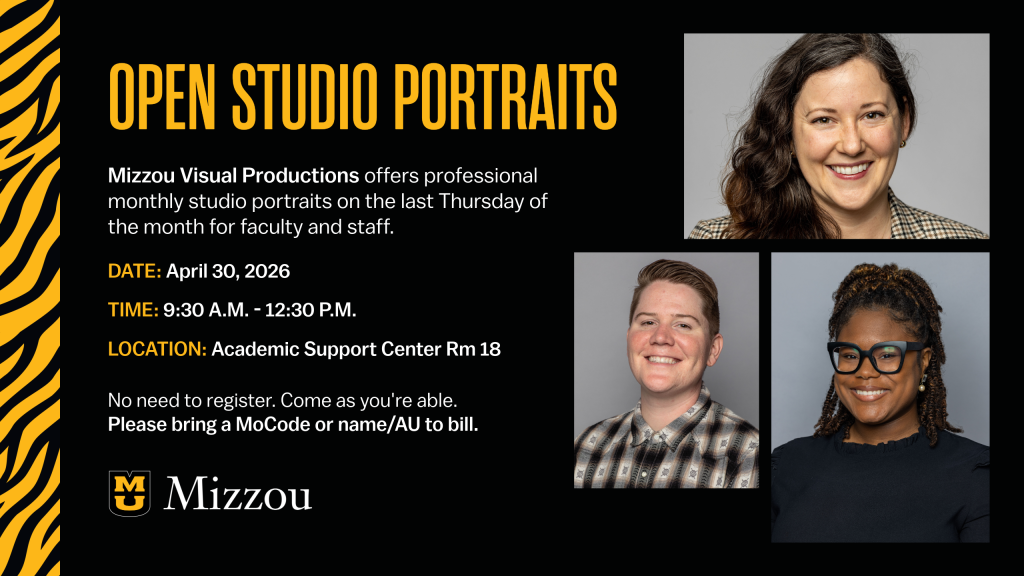
Open Studio Portraits
Contact Shannon Cary for a MOCode if you want to get a new headshot.
MULSA Officers Needed for 2026-2027
Get involved with the Mizzou Libraries’ staff association and help us continue making the Libraries a welcoming and supportive place to work. MULSA brings people together through social events, keeps our staff lounge running, and offers thoughtful support to colleagues during meaningful moments. To keep this positive momentum going, we’re looking for enthusiastic volunteers to join the MULSA board. We’ll have openings for vice-president, treasurer, Ellis staff lounge chair and community service chair. If you’re interested in contributing to this fun, collaborative and rewarding group, please reach out to the MULSA president, Shannon Cary.
Special Collections and Archives Moving Back to 4 West
Special Collections and University Archives is moving back to 4 West on the morning of April 1st. These departments will be closed from March 31 to April 2 and will reopen on April 3.
Peer Navigator Corner: Magazines
Written by: Annalise Miller
Print media and hard-copy magazines may feel old-school in a digital world, but are actually a great primary source that can be used to study cultural trends, analyze public opinion, examine advertising, track political and social change over time, and better understand how people experienced and interpreted events as they were happening. Mizzou Library has a great selection of magazines both online and in the library itself.
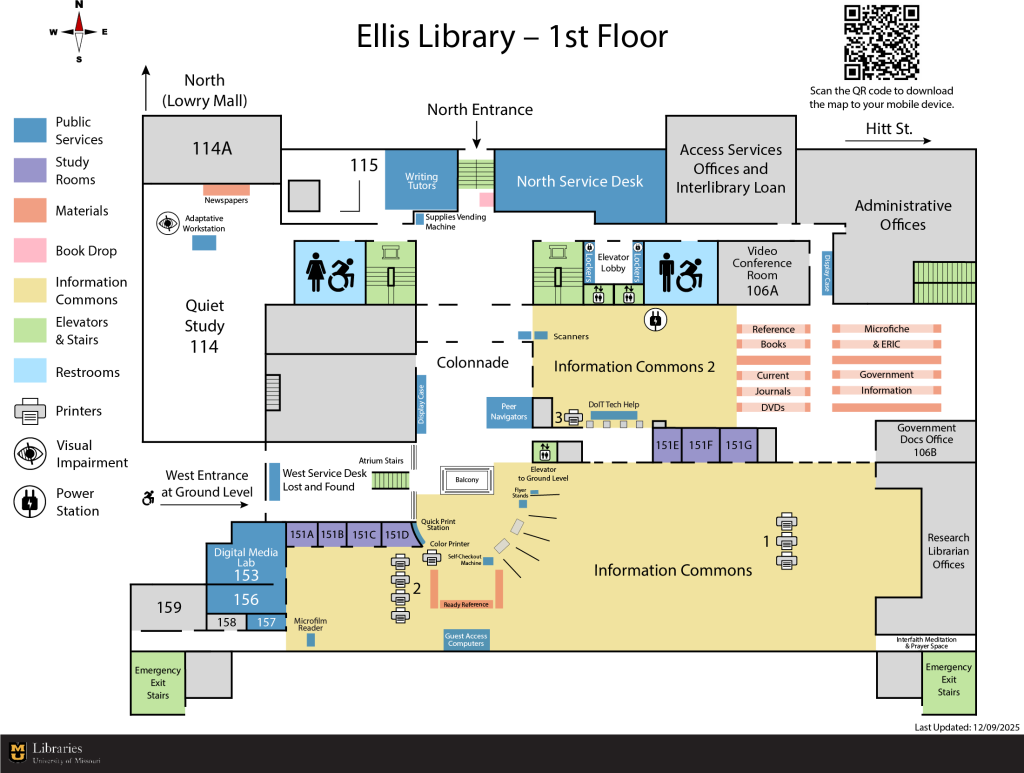
In Ellis Library, physical copies of magazines can be found in a couple of different places. New issues are located behind the Peer Navigator desk in Information Commons 2 on the first floor of Ellis, near government documents and DVDs. Once the whole year of publications are available, these physical copies are bound together and moved into the stacks based on subject.
The Journalism Library, located at 401 S 9th St, Columbia, MO 65211, has an even greater selection of physical copies of magazines including TIME, with others like Forbes and Publishers Weekly available through database access..
Special Collections, located on the fourth floor of Ellis, is another great place to explore historic magazines (amongst other things), with some collections dating back to 1805. The collection includes bridal, religious, beauty, and sports magazines, collections title Style Before Social Media: Fifteen Fashion and Beauty Magazines, and Toys and Collectibles, as well as a variety of specialty publications, such as pet care. All of these materials can be viewed by visiting the Special Collections and Archives homepage and scheduling a time to stop by.
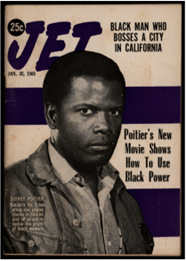 Special Collections also has a wide selection of online magazine exhibits. “Life in America: Sixteen Black Magazines from 1953-1998” looks at the history of influential Black news and lifestyle magazines such as Ebony, Jet, Sepia, and Emerge, that served Black audiences often overlooked by mainstream media. The exhibit highlights how these publications covered news, culture, and every day life. Another exhibit examines the rise of bridal magazines, including titles like Brides and Modern Bride that shaped wedding culture. This exhibit features issues from 1992 to 2011 and explores how print media guided engaged couples through evolving trends and the bridal industry
Online publications that are not a part of Special Collections can be accessed through Discover@MU and searching specifically for Journal/Source Title, or through databases like Fashion Studies Publications that compile magazines for easy searching. Some of these titles include the Vogue archive, Harpaars Bazaar, and Women’s Wear Daily.
Magazines are a great resource at the University of Missouri Libraries, whether you need them for a class, for research, or just as something interesting to flip through.
Scholarship Recognizes Outstanding Undergraduate Research

Two students have been recognized with scholarship awards for exceptional undergraduate research projects, earning top honors for the depth, rigor, and originality of their work.
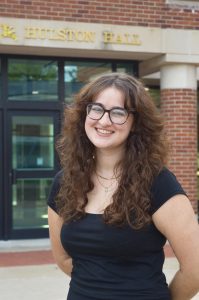
Second place, a $500 scholarship, was awarded to Ava S. O’Bryan for her honors research project in music education, “Literature Review: Chamber Music in K–12 Music Education.” Ms. O’Bryan’s work stood out for its deep engagement with the subject and her ability to bring a wide range of theoretical and empirical sources into thoughtful and critical conversation across time. The committee noted the sophistication of her analysis and the clarity with which she synthesized scholarship from multiple perspectives.
Together, these projects reflect the high level of undergraduate research excellence and the meaningful contributions students are making across disciplines.
Peer Navigator Corner: Exhibits
Written by: Allison Boedges
Ellis Library is home to a large number of exhibits and showcases from permanent fixtures, annual displays, and others that are constantly new or frequently switched out.
Permanent exhibits:
The cast gallery can be found on the second floor of the building in a quiet study space. The larger than life sculptures are a part of the Museum of Art and Archaeology’s collection (but are too tall for the museum space!) are worth a visit from every student at some point.
Also on the second floor, the M.L. Snowden Collection features multiple statues carved of bronze in the windows of the Grand Reading Room. M.L. Snowden won several of the world’s most prestigious sculpture prizes including The International Rodin Competition in Tokyo, Japan, and the inaugural Presidential Order of Merit “In Recognition of Significant Contributions to the Betterment of Humanity Through Art.”
Ellis is currently hosting a campaign buttons collection on the 1st floor of the library. The collection features the entire campaign of 1896, with all presidential elections through 1996. The collection represents a lifetime of work by Sandy and Barry Garron, who donated their full collection to the Truman School of Government and Public Affairs in 2021.
The Museum of Anthropology is located on the ground floor of Ellis. Open from 10-4 Tuesday-Friday and 12-4 on weekends, the museum offers a multitude of exhibits designed to allow visitors to broaden their understanding of human history. The museum is currently featuring several revolving exhibits, including beautiful Native American embroidery done by dyeing and stitching porcupine quills and watercolor paintings done by Pueblo Artists in the early 20th century. More exhibits can be found online at https://anthromuseum.missouri.edu/exhibitions.
The Museum of Art and Archeology is also located on the ground floor of Ellis. With the same hours as the Museum of Anthropology, these exhibits showcase a wide range of original art and artifacts. Some exhibitions are permanent while others rotate and include everything from ancient works to contemporary art. New exhibits at the museum include a series titled From Earth to Artist: Clay, featuring works from Ancient China, Mesopotamia, and the Mediterranean and Catching Light: Two River Views featuring works from two early 20th century artists. Another display case holding artifacts from the museum can be found near the Peer Navigator desk on the first floor of the library. For more information about current and past exhibits, check out the Museum’s exhibition page, and updates about displays, please see the Museum’s news page.
Annual Exhibits in the Colonnade:
During Faculty Excellence Week, Ellis hosts an exhibit for all faculty who have published or edited a book in the past year. These books are part of the MU Libraries Collection and will be available in time for Faculty Excellence Week, which is May 4th to May 11th.
The Visual Art and Design Showcase is a venue for undergraduate students to display their work. Various awards are offered during this exhibition, including the MU Libraries Showcase award. The winner of this category is displayed on the first floor of Ellis Library in a case located near the Peer Navigator desk.
Each year during February, Ellis offers exhibits honoring Black History Month. These include a special book collection, art, and displays celebrating the month. For more information on exhibits and events, see https://libraryguides.missouri.edu/mulibraryexhibits/BHM.
Current Exhibits:
An exhibit honoring the 13th President of the University and namesake of the library, Elmer Ellis, displays information on this very pivotal figure in the University’s history. Under his direction, the University of Missouri grew to 4 campuses, which formed what is now known as the University of Missouri System. Additional information on Elmer Ellis, and the history of the library with his name, can be found on the Ellis Old and New section of the Library website.
The art featured in Bookmark Cafe, located on the ground floor of the library, rotates each semester. Currently, Ellis is hosting the artist René de Jesús Peña González, who generously loaned two works to the library. The first is titled Flamenco and the second, part of a larger series, is titled Sad Blue Child.
In the News
“A first gift and a lasting legacy: The heart behind Mizzou Giving Day”
Show Me Mizzou, March 4, 2026
“MU student crates exhibit showcasing Missouri artists for Black History Month”
KOMU, Feb. 22, 2026