Written by: Libby Gremaud
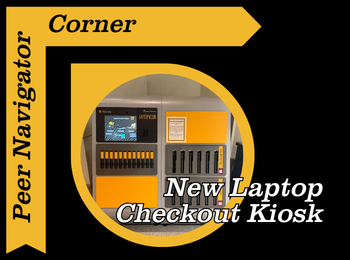
Did you know that you can check out laptops from Ellis Library? In the past, that’s only been an option at the North Service desk, but this semester the library has added a convenient no-contact laptop checkout kiosk in the ground floor lobby! This kiosk makes checking out a laptop a total breeze, and it’s accessible any time the library is open (24/5 from Sunday-Thursday and from 12 a.m. to 7 p.m on Fridays and 10 a.m. to 7 p.m on Saturdays).
The laptop kiosk offers both Macbooks and PCs, both of which already have the standard Mizzou software downloaded. You can also check out portable battery chargers. The time limit for the checkouts is normally 4 hours, unless the library closes in less time than that, in which case it would be due at close. Technology is the one thing the library actually charges late fees for ($1 every hour) so make sure to return it on time! The library asks that you not take laptops out of the building, but instead enjoy one of our several different types of study areas to use it.
I tested it, and the kiosk is super easy to operate. First, select the type of item you want to checkout: Mac, PC, or battery pack. Next, swipe your MU ID card or scan your digital ID and you’re good to go! That’s literally it! Just remember to log out of the laptop after you’re done using it. As always, if you have any questions, please stop by the Peer Navigator desk or either the West or North service desk as we are always willing to help!